ENGLISH EDITION · THE SHAPE OF A FREE SOCKET
Four outlets, but room for how many adapters?
Explore the two-by-two layout of the Subony wide power strip, and compare it with a conventional row of four sockets.
01 · A socket count is not a footprint
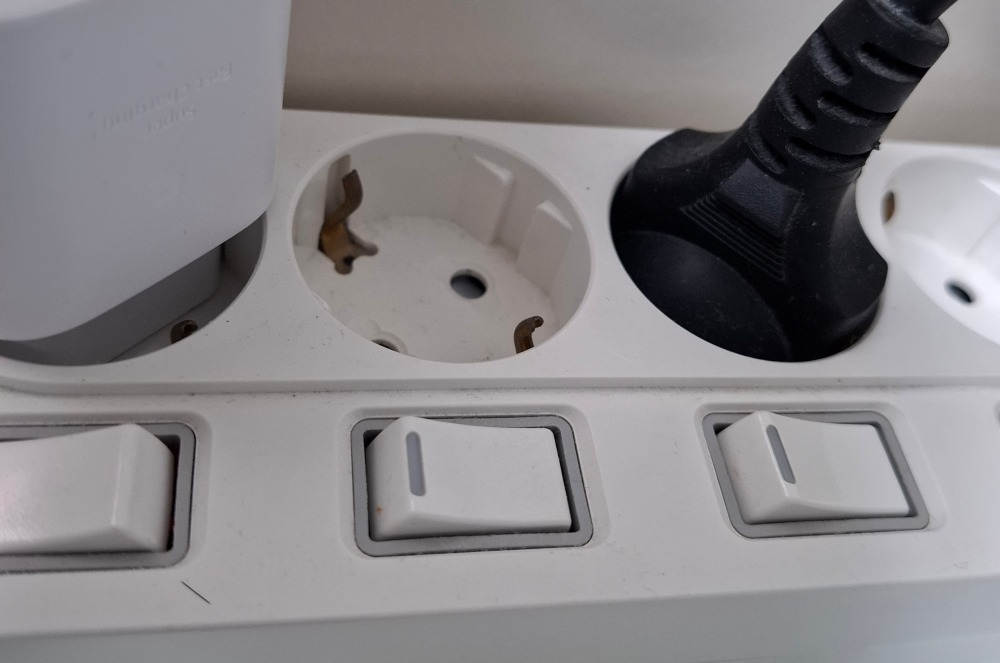
A four-outlet power strip provides four connection positions. It does not promise that every possible set of four power adapters will fit at once. A small cord plug and a broad charger may use the same socket, but their housings occupy different amounts of space above and beside it. The body of one adapter can extend over the next position even when the empty socket remains partly visible.
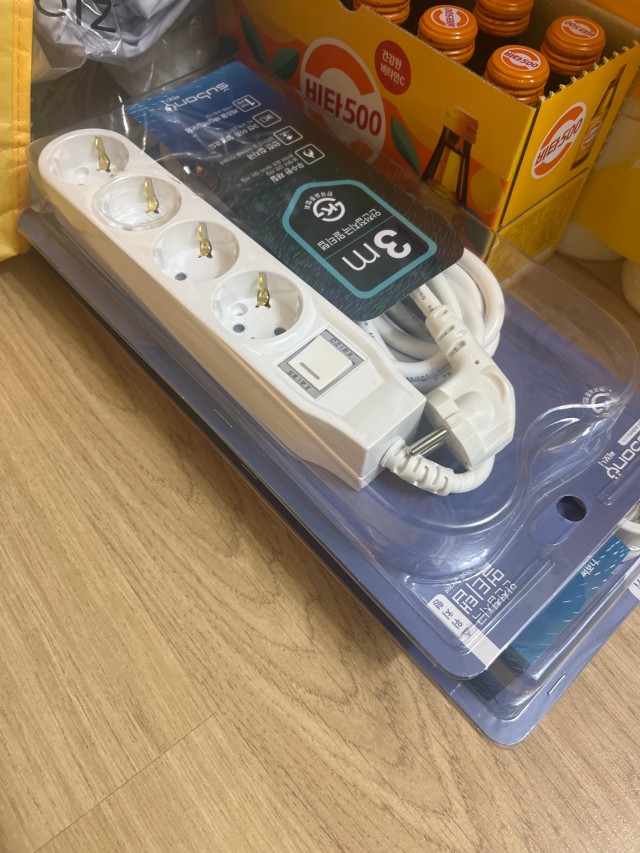
The conventional Subony master-switch four-outlet strip arranges its sockets in a row, with the switch at one end. This long, narrow shape can suit a slim installation area. Its neighboring positions still need to be checked against the actual chargers you want to connect. A row is not automatically inconvenient, and a bulky adapter does not automatically block a socket. The result comes from the combination of the outlet layout and the connected objects. Start with those objects, rather than assuming that another socket count will solve a housing interference problem.
02 · What the wide layout actually changes
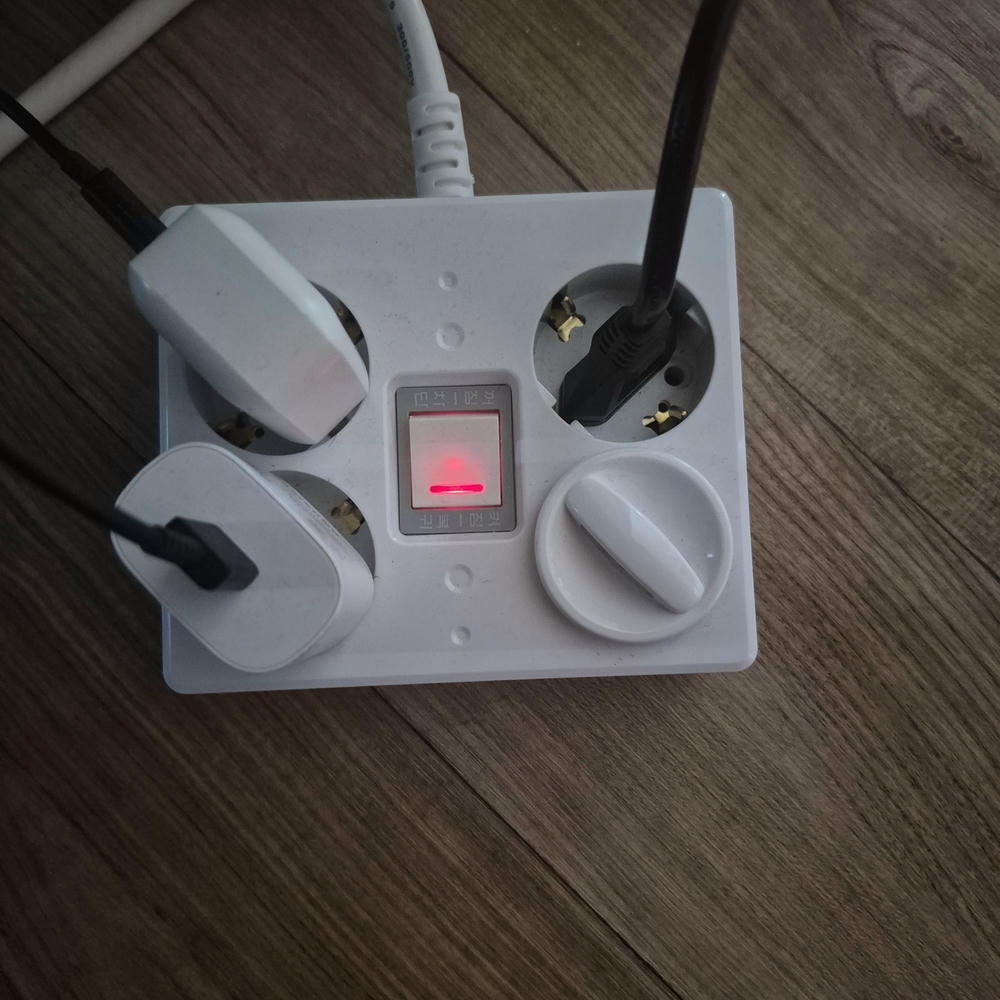
The Subony wide master-switch four-outlet product uses a square body with four round sockets arranged in two rows. A single master switch sits in the middle. The official W-01 detail presents one-metre and three-metre cord versions. This is a two-by-two arrangement, rather than a longer version of the ordinary single row. The distinction matters when planning where the adapter bodies and their cables will go.
With two rows, you can consider front and rear positions as well as diagonally opposite corners. An adapter projecting in one direction may work better in another position, depending on its shape and the location of its pins. However, the layout alone does not guarantee space for four large chargers. A large body may interfere with a neighbor in either row, or occupy space above the central switch. The useful question is which arrangement suits your particular combination. No measured socket pitch or universal adapter size limit is implied by this comparison.
03 · Use the three-dimensional comparison
The interactive model offers three example combinations: four compact adapters, two broad adapters, and four large adapters. Both layouts use the same illustrative adapter shapes within a selected combination. Look from above to understand the footprint, then return to an angled view to see the raised housings and recessed sockets. Change the arrangement or turn the adapters through 180 degrees to observe how an offset pin position changes where the body projects.
Orange markings identify overlap between the example adapter bodies. A conflicting body is raised above the socket instead of being shown forced into place. The demonstration is about spatial relationships; it is not a measurement of the actual wide product or a purchasing compatibility calculator. Its overlap result does not assess finger clearance, every cable bend, or electrical loading. The real product and the actual adapters remain the basis for a final fit check. You may find that moving two adapters helps the row arrangement too, while adding four oversized bodies creates conflicts in both layouts.
04 · Locate the pins as well as the edges
When examining an adapter, find the plug pins and consider how far the housing extends to each side of them. Two adapters with the same outside width can occupy different neighboring space if one has centrally positioned pins and the other has pins near an edge. Output wattage is not a reliable substitute for this physical inspection: chargers with similar output ratings can have different shapes and dimensions.
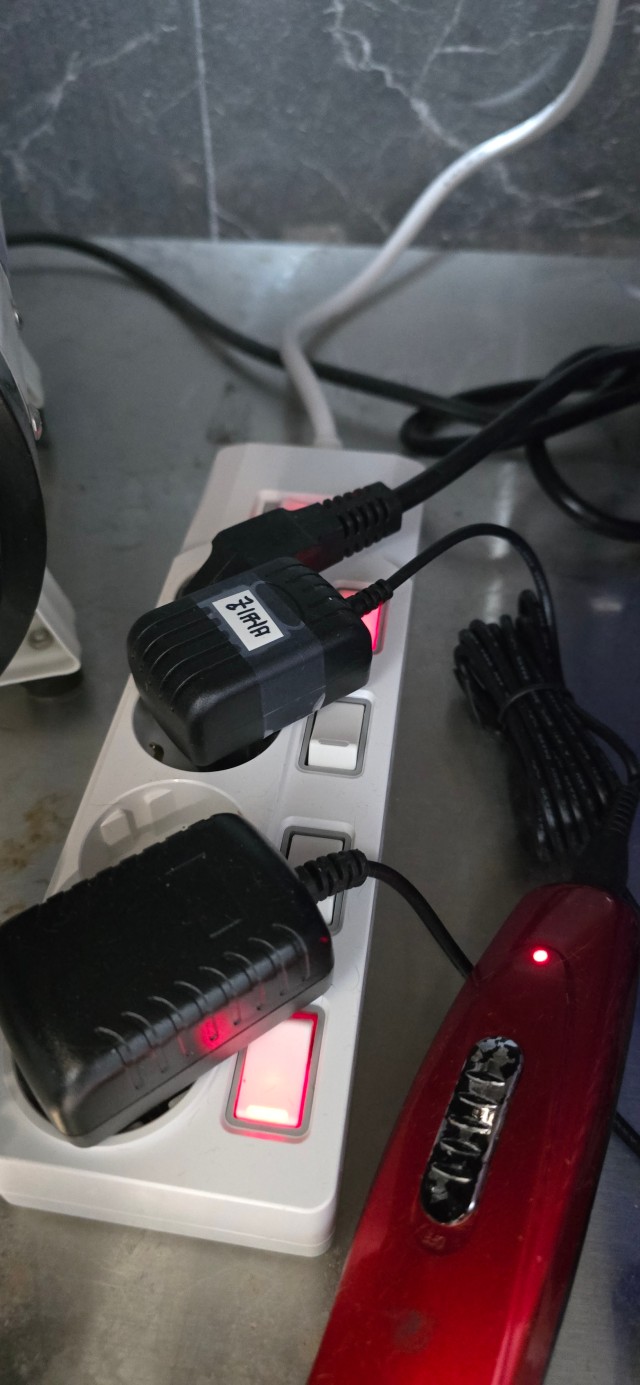
Where the plug and socket are designed to accept either orientation, turning the plug through 180 degrees changes the direction of an offset housing and its cable outlet. This is not a suggestion to force the pins into a 90-degree orientation. Shut down the connected device and disconnect the power before rearranging connections, then check that the matching plug can be fully seated. The individual-switch photographs in this section illustrate adapter bodies and the space around a socket; they are different Subony products, not photographs of the wide model. A visible opening is only part of the space the next adapter needs.
05 · Keep the switch and your hand accessible
On the wide model, the master switch occupies the central area between the four sockets. Consider that area when deciding which direction each adapter should face. It should remain possible to reach and operate the switch naturally. You also need enough room to hold a plug or adapter when removing it without pushing or pulling on its neighbor. A configuration that fits when viewed from above may still be awkward to operate.
The same check applies differently to the conventional row. A long housing near the end may extend towards the master switch. On the wide layout, a diagonal arrangement can reduce one conflict but place an inward-projecting edge closer to the central control. This is why the model separates housing overlap from overall usability. An example with no housing overlap is not a complete approval of the installation. Take account of your hands, the controls you use regularly and the direction in which cables leave the connected equipment.
06 · Plan the four positions with your own equipment
Lay out the adapters and plugs that will be connected regularly, and separate them from items used only occasionally. Include the AC charger body for USB-powered equipment, rather than counting only the thin USB cable. Examine the width and depth of each body, the position of the pins and any cable outlet that projects beyond the housing. This gives you a much more useful starting point than choosing solely by the number printed on the power strip.
Next, compare possible positions. On the row, consider neighboring sockets and the two ends. On the wide layout, compare front, rear and diagonal positions while preserving access to the switch. Finally, place the proposed arrangement within its surroundings: the furniture, wall outlet and cable route. If you genuinely need more than four connections, the number of outlets and the overall power plan must also be reconsidered. Repositioning solves some spatial conflicts; it does not create additional outlets or increase the electrical capacity of the strip.
07 · Check the space above the installed adapters
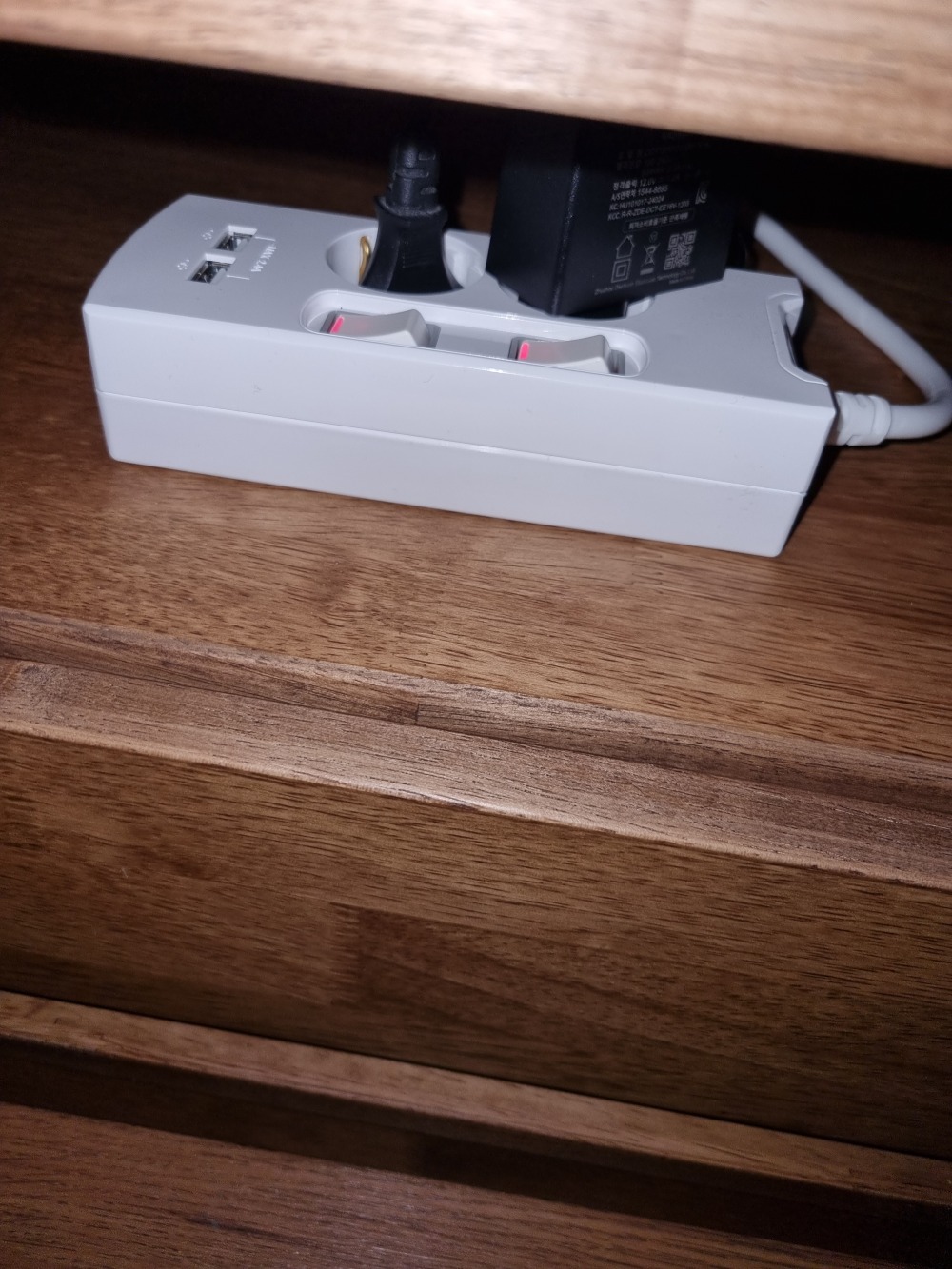
A layout that works on a flat plan may still fail below a shelf. An adapter stands above the power strip once connected, and a cable leaving the top needs additional space to turn without being pressed tightly against the furniture. Check the complete installed height, rather than measuring only the empty power-strip body. Look from the side as well as from above, especially when the installation area has a low shelf or a closed compartment.
The photograph shows a Subony USB model below a shelf. It is a different product, included to illustrate the relationship between adapter height, the housing and the cable direction. The same observation is useful when planning a wide-model installation. A broad, low arrangement may use the available floor area differently from a long row, but neither should be selected without looking at the height and access around the intended location. Keep the actual surroundings in the comparison instead of treating a bare tabletop arrangement as the finished installation.
08 · Choose the arrangement that suits the combination
The ordinary row can be a practical match for a long, narrow space and a series of smaller plugs. The Subony wide model is worth comparing when you can use front-to-back space and want another way to arrange adapter bodies. Neither shape wins for every situation. The choice depends on the objects you connect, the controls you need to reach and the space that remains around the installed equipment.
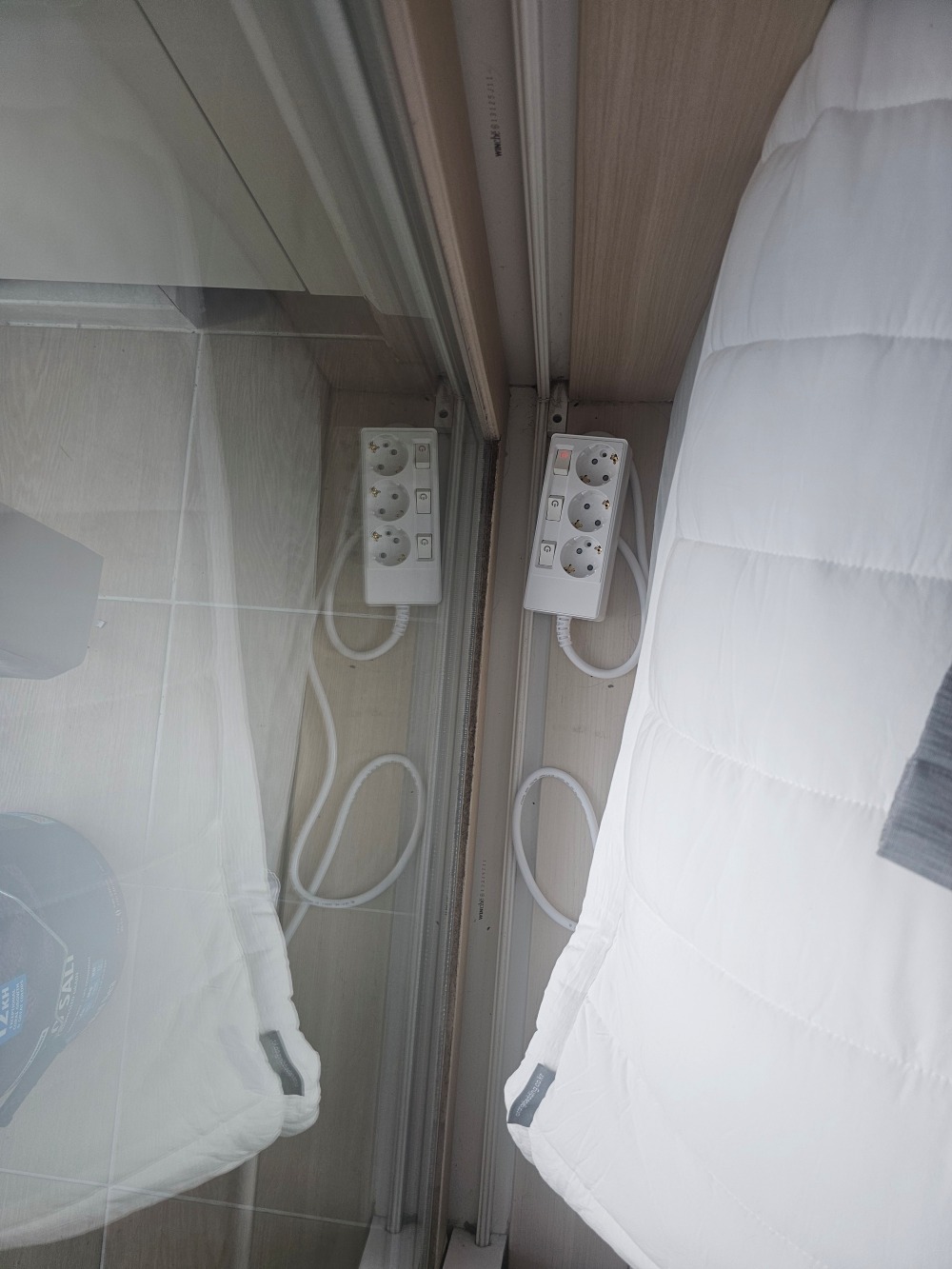
Once the position is decided, select a suitable cord route and length. The wide product is presented in one-metre and three-metre versions. The three-outlet individual-switch installation photograph illustrates a separate point: cables travel around furniture and along surfaces, so the path to the wall matters as well as the socket arrangement. Finally, physical room and electrical capacity are separate checks. Even when all four housings fit, total connected consumption must remain within the relevant product instructions and conditions. The wide model changes how four positions are arranged; it does not make an unrestricted four-appliance power source.