ENGLISH EDITION · POWER STRIP SELECTION
How often do you press a power-strip switch? A day with Subony master and individual controls
Choose the switching pattern that matches the devices you use together, the ones you use separately, and the ones that need a continuous supply.
01 · Define one action before comparing the numbers
For this comparison, one action means changing one switch on the power strip from OFF to ON, or from ON to OFF. Pressing a device’s own start button, shutting down an operating system, and inserting a plug are separate actions. Keeping these activities separate matters because supplying a socket does not necessarily start the appliance connected to it. A monitor, for example, may still need its own power control after its socket becomes live.
The example uses three AC outlets. One version has a single master switch controlling the group. The other has one switch for each outlet. These are simplified daily routines, not measured household averages. We do not turn the results into annual energy savings, a service-life estimate, or a safety ranking. Beside the action count, always ask which sockets receive power and whether the required devices can remain supplied. A low count is useful only when it produces the arrangement you actually want.
02 · When three devices start and finish together
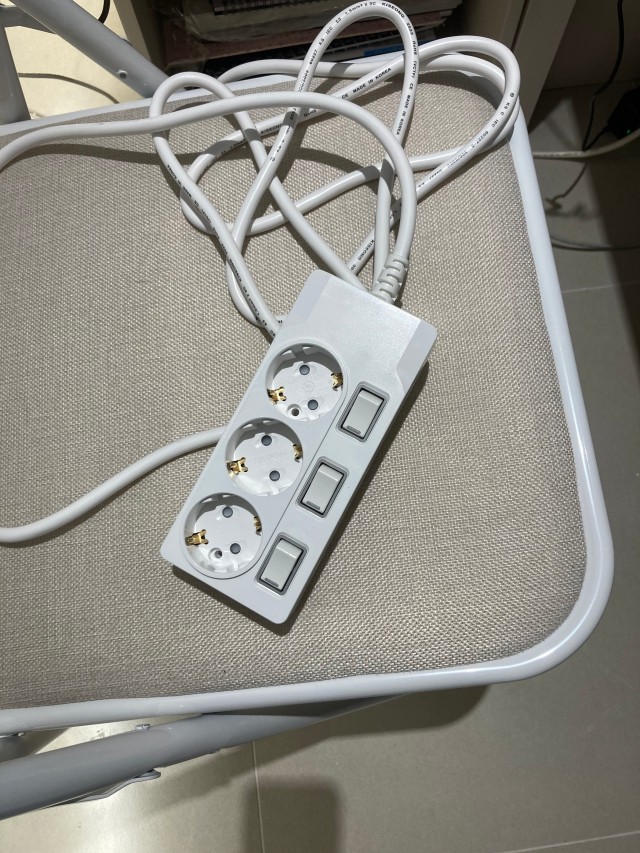
Start with all three sockets OFF. At the beginning of a shared session, the master-switch version needs one action to supply A, B, and C together. The individually switched version needs three actions, one for each socket. After the devices have finished their work and completed any necessary shutdown process, the master version takes one action to remove the group’s supply. The individual version takes three actions to switch the outlets off separately.
That makes two power-strip switch actions for the master version and six for the individual version across this example day. This is the clearest situation for a master switch: the devices form one useful group with a common beginning and end. A desk light, monitor, and speakers might fit that pattern, but only if that is how you actually use them. Their own start and stop controls remain outside the count. The power strip changes the availability of electricity at the sockets; it does not replace each device’s normal operating sequence.
03 · One device can mean equal counts but different socket states
Now imagine that only device A is needed for a short task. Turn the master switch on, use A, and turn the master switch off afterwards: two actions. On the individual version, turn A’s switch on and then off: also two actions. Looking only at the total would make the two choices appear identical. The state of the other two sockets reveals the difference.
While the master switch is ON, sockets B and C also receive power. Their connected devices may be switched off at their own controls, but this does not make their sockets disconnected. With individual controls, B and C can remain OFF throughout A’s session. The interactive comparison shows the supply state beside the switch count so this distinction remains visible. It does not assume that a supplied device is actively running, charging, or consuming its nameplate power. Whether standby consumption occurs, and how much, depends on the connected equipment and needs its own evidence.
04 · Keeping one device supplied changes the purpose of the controls
A different arrangement needs device A to remain supplied while B and C are used occasionally. The initial setup is already complete: A has power. With a master switch, keeping A supplied means leaving the group ON. B and C can then be operated using their own controls, but their sockets remain supplied as well. The master switch receives zero actions during the example session because it never changes position.
With individual controls, A stays ON while B and C are switched on and later switched off. That requires four power-strip actions. Four is greater than zero, yet it achieves something different: B and C can lose their socket supply without interrupting A. This is why the comparison is not a contest for the smallest number. Initial setup and the devices’ own controls are excluded from both counts. A shared upstream switch or a loss of wall power would still interrupt A. An individual switch is not a backup power source or a guarantee of uninterrupted operation.
05 · Read the controls on the actual Subony product
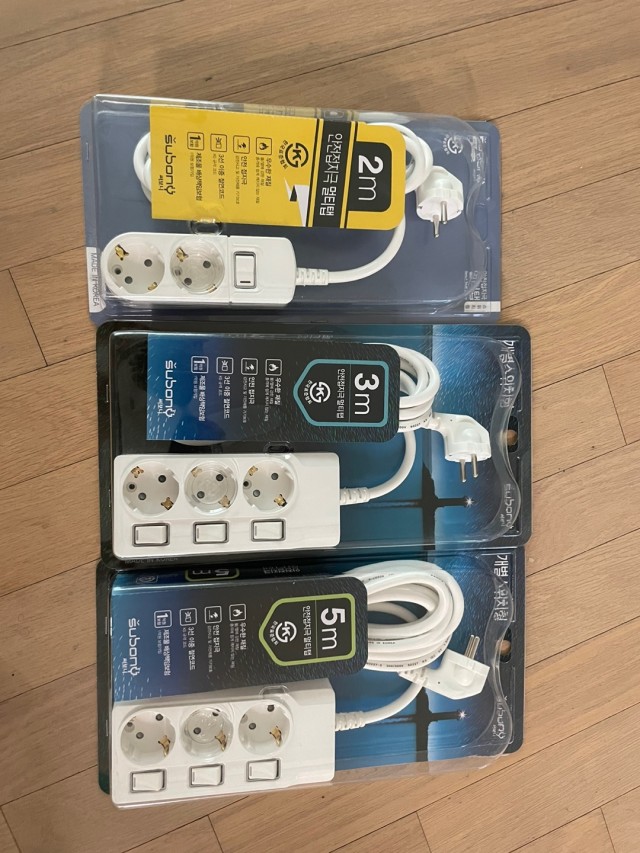
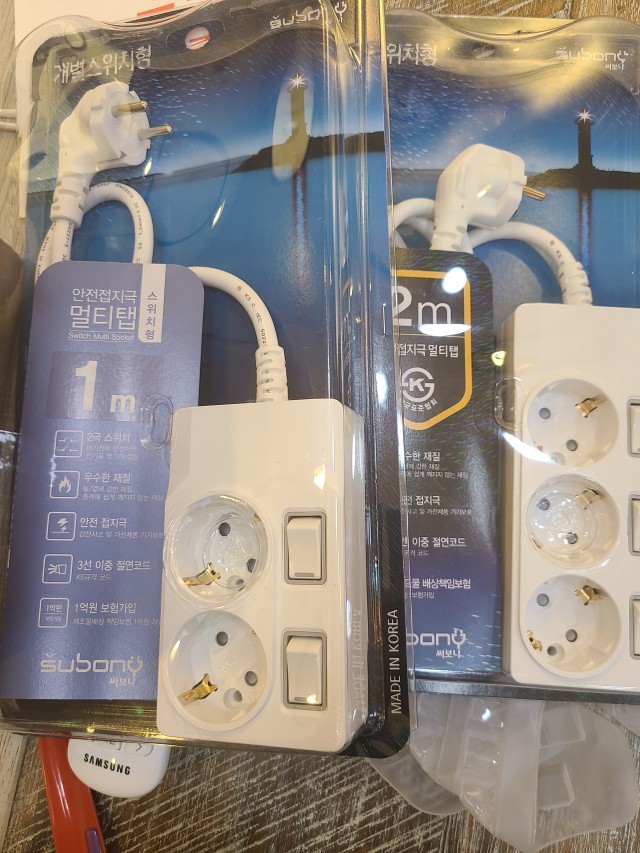
Subony offers both master-switch and individually switched families with two, three, four, and six outlets. On a master-switch product, the group control is positioned at one end of the body. On an individually switched product, a nearby control corresponds to each outlet, making it possible to identify a socket by position. Compare the actual product layout after deciding how many outlets your equipment needs. Outlet count and switching style answer different questions.
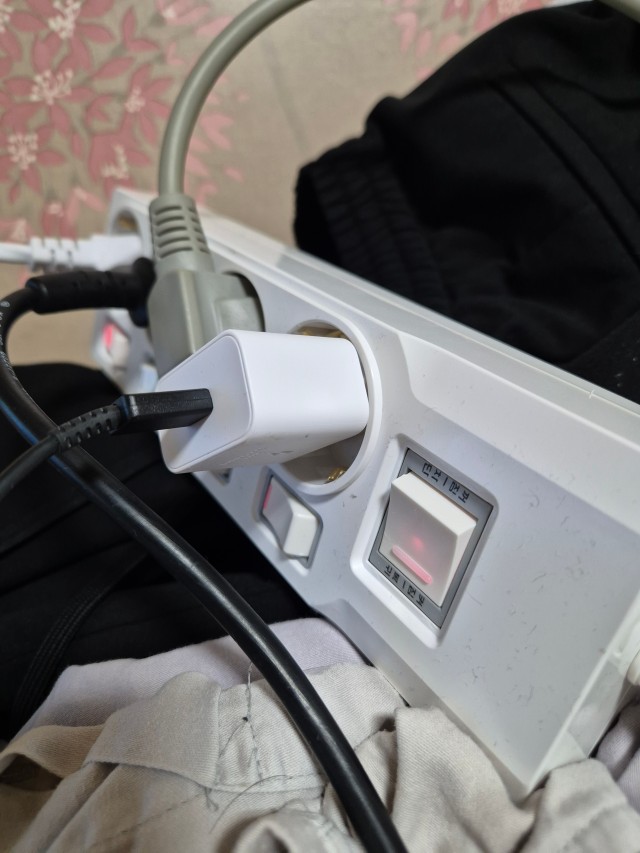
The four- and six-outlet individual examples in the photographs show small socket controls together with a separate larger switch. Read the product markings and instructions to understand the role of every control. Do not assume that individual controls mean there is no shared control, or infer a protection function solely from a switch’s size. The numerical animation deliberately stays with its stated three-outlet arrangement. It is a way to compare everyday control patterns, not a promise that every Subony model has exactly the same combination of buttons or the same internal switching mechanism.
06 · Map a day before selecting your power strip
Write down the devices intended for the same location, then mark when each one needs a supply. Put devices that usually begin together on the same line. Mark anything you stop independently during a break or a change of task. Finally, identify equipment that needs a continuous supply according to its own instructions. Devices sitting beside one another do not necessarily share the same schedule. A lamp may only be needed after sunset while another device stays on throughout the day.
If most of those schedules overlap, one master control may make the routine easier to follow. If they often separate, individual controls can make the intended socket states clearer. Include physical access in the decision: a large adapter should not make the relevant switch difficult to see or reach. Trace each cable to its socket while arranging the equipment, and keep any identifying label away from electrical contacts or important product markings. The aim is a layout you can understand at a glance, not simply the greatest possible number of controls.
07 · What additional switches do not change
Individual switching gives you a choice of which sockets receive power. It does not increase the power strip’s permitted total load, and it does not assign the entire product rating separately to every outlet. Check the combined requirements of the equipment in use against the markings and instructions for the exact model. Likewise, fewer switching actions do not establish lower energy consumption. Operating time, equipment behaviour, and standby characteristics need to be considered separately if you want to evaluate energy use.
Finish work and follow the normal shutdown procedure before removing the supply from equipment that needs one. A power-strip rocker is not a substitute for saving data or shutting down a computer. This article also keeps ordinary control switches separate from the protective breaker lever and yellow TEST button on Subony’s high-capacity products. USB-equipped models require another distinction: their USB ports can remain powered independently of the AC socket switches while the input supply is present. The three-outlet AC animation does not represent USB control or the operation of a protective breaker.
08 · Choose the state you need, then the action that gets you there
The value of a master switch is the ability to change a useful group of sockets in one movement. It works naturally when the equipment truly shares a common start and finish. The value of individual switches is the ability to change one socket while leaving the others in their existing states. That matters when usage times differ or when you deliberately want an unused socket to be OFF while another stays supplied. Neither pattern is automatically the better choice for every room.
Think about the next ordinary day rather than an idealised installation. Which devices will you use together? Which will you stop first? Which must stay supplied? Then choose the Subony layout that lets your hand follow those decisions clearly. In the interactive model, compare the action count with the live-socket indication instead of looking at either number alone. The most useful result is a routine that is easy to understand and repeat, with controls that remain accessible after all the intended plugs and adapters are in place.