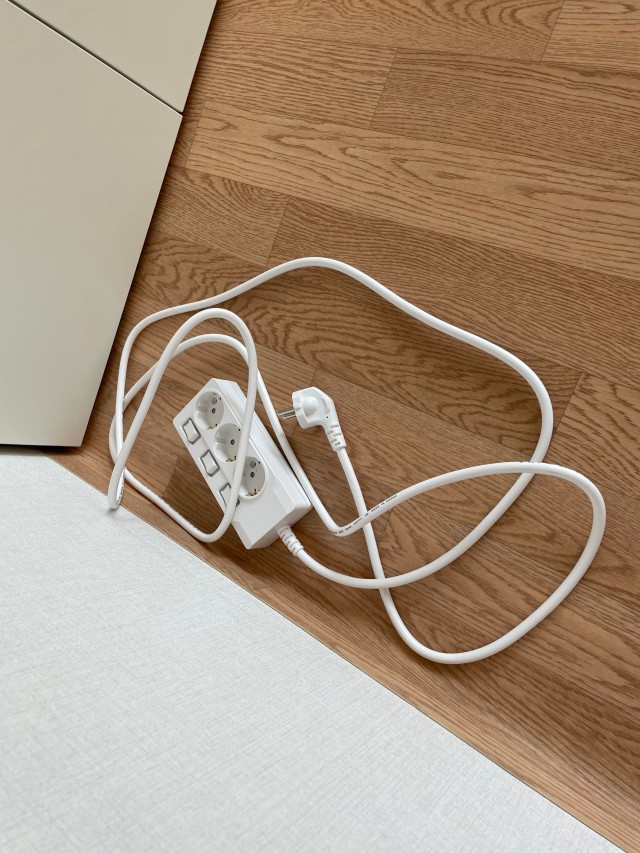
납땜 대신 눌러 고정하다, 써보니 멀티탭의 연결 이음 밀착식 구조

본체와 플러그 사이에 전선을 펼쳐 놓은 써보니 개별스위치 3구 멀티탭

SUBONY JOURNAL · THE DETAIL INSIDE

매일 쓰는 멀티탭의 안쪽에는,
전선과 단자가 만나는 작은 연결부가 있습니다.

멀티탭을 고를 때는 구수와 스위치, 전선 길이가 먼저 눈에 들어옵니다. 그런데 플러그에서 들어온 전기는 본체 안의 금속 부품까지 이어져야 합니다. 부드러운 전선과 단단한 단자는 어떤 방식으로 연결되어 있을까요?

이번에는 써보니가 제품 안내에서 ‘연결 이음 밀착식 구조’로 소개하는 부분을 살펴봅니다. 납을 녹여 접합하는 대신 금속 연결부를 눌러 전선을 감싸고, 걸림편과 지지부로 단자를 붙잡는 방식입니다. 작은 금속 부품의 모양에 전기적 연결과 기계적 고정을 함께 담았습니다.

01 · WIRE

전선을 감싸고

도체와 피복 부분을 각각 잡아 주는 두 자리

02 · CONTACT

금속 면을 맞대고

연결부와 단자가 접촉하는 전기의 연결 자리

03 · HOLD

걸어서 고정합니다

단자의 구멍과 표면을 이용하는 고정 구조

본체와 플러그 사이에 전선을 펼쳐 놓은 써보니 개별스위치 3구 멀티탭

01 · A SMALL JUNCTION

전선이 본체로 들어온 뒤에도 연결은 이어집니다

본체 밖에서는 전선 하나로 보이지만, 그 안에는 절연된 심선들이 들어 있습니다. 각 심선의 끝은 본체 내부에서 자기 역할에 맞는 금속 단자와 연결됩니다. 이 지점이 전선과 단자의 접속부입니다.

흰색 본체와 전선이 만나는 입구를 보면 굴곡이 있는 보호 부분이 보입니다. 이것은 외부에서 보이는 전선 인입부입니다. 이번에 들여다볼 금속 접속부는 그보다 안쪽에 있습니다. 입구의 모양과 내부의 전기적 연결을 구분하면 구조를 훨씬 쉽게 이해할 수 있습니다.

사진은 실제 써보니 제품의 전선과 본체를 살펴보기 위한 장면입니다. 내부 연결은 이어지는 확대 모형에서 한 접속부를 중심으로 확인해 보세요.
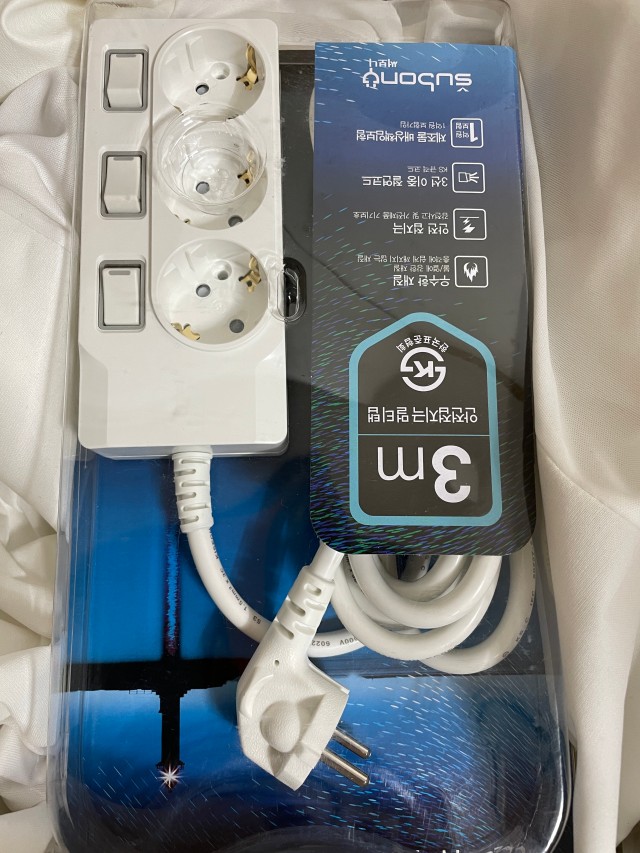
써보니 개별스위치 3구 제품의 전선 인입부와 플러그

02 · SOLDERLESS CONNECTION

납을 녹여 붙이는 대신, 금속을 눌러 감쌉니다

납땜은 접합부에 녹인 땜납을 이용하는 방식입니다. 이 글에서 살펴보는 연결은 금속 연결부의 날개를 눌러 접어 전선을 잡습니다. 이렇게 압력을 주어 금속의 형상을 바꾸는 연결을 ‘압착’이라고 합니다.

쉽게 말하면, 전선이 놓인 자리를 금속이 둘러싸도록 모양을 만들어 고정하는 것입니다. 접힌 금속은 그 형태를 유지하고, 안쪽 도체와 연결부의 접촉을 형성합니다. 납이 보이지 않는 빈자리가 있는 것이 아니라, 연결을 만드는 방식 자체가 다른 셈입니다.

써보니 공식 안내의 연결 이음 밀착식 구조는 공개 특허 제10-0806230호 ‘단자연결장치’와 연결해 살펴볼 수 있습니다. 아래에서는 문서의 첫 번째 실시예에 나타나는 전선 고정편, 걸림편, 지지부의 역할을 차례로 풀어봅니다.

이 글에서 살펴보는 ‘납땜 없는 연결’의 범위

전선과 금속 단자가 만나는 접속부에 대한 설명입니다. USB 회로를 비롯한 제품 전체의 모든 부품에 납땜이 없다는 뜻으로 넓혀 읽을 필요는 없습니다.

03 · EXPLORE IN 3D

전선을 잡고, 단자를 맞대고, 걸어서 고정하는 모습

아래 3D의 버튼을 눌러 연결 전의 부품부터 완성된 접속부까지 살펴보세요. 구리색은 전선의 도체, 청록색은 절연 피복, 은색은 연결부, 금색은 단자를 구분해 보여줍니다.

전선 쪽 고정편은 도체와 피복을 각각 감쌉니다. 반대쪽에서는 단자의 구멍으로 걸림편이 들어가고, 그 옆의 지지부가 단자 윗면을 받쳐 붙잡습니다. 화면을 돌리면 위에서 가려졌던 면과 구멍도 볼 수 있습니다.

공개 특허 도면의 결합 관계를 쉽게 읽도록 확대한 구조 모형입니다. 색상·비율·가닥 수는 설명을 위한 표현이며, 실제 제품의 부품 치수나 소재 성적표를 뜻하지 않습니다.

SUBONY · INSIDE THE JOINT

작은 연결부를, 크게 들여다보세요

버튼을 눌러 전선 고정부터 단자의 결합까지 확인하세요.

연결 구조를 불러오는 중입니다…
한 접속부 확대특허 도면의 결합 관계
도체피복연결부단자
좌우로 드래그해 회전 · +/−로 확대
01

전선 · 연결부 · 단자, 세 부분을 먼저 봅니다

전선은 왼쪽, 금속 단자는 오른쪽에 있습니다. 가운데 연결부가 둘을 이어 줍니다. 단자의 구멍과 그 아래 연결부의 빈자리를 눈여겨보세요.

구조 설명 모형 · 실제 부품의 치수·색상·가닥 수를 표시하지 않습니다.

04 · TWO PLACES TO HOLD

구리선을 잡는 자리와 피복을 잡는 자리가 다릅니다

전선 끝을 보면 금속 도체가 드러나는 부분과 절연 피복이 남아 있는 부분이 나뉩니다. 공개 도면의 전선 연결부에도 이 두 부분에 맞춘 고정편이 따로 있습니다. 크기가 다른 날개가 각각의 자리를 감싸는 형태입니다.

도체 쪽은 전기가 연결되는 자리입니다. 피복 쪽은 절연된 전선을 함께 붙잡는 자리입니다. 전기적으로 닿아야 하는 곳과 기계적으로 지지할 곳을 나누어 생각하면, 왜 고정편이 한 군데로 끝나지 않는지 이해하기 쉽습니다.

이 차이는 멀티탭을 사용하는 습관과도 이어집니다. 플러그를 뺄 때는 전선을 잡아당기지 않고 플러그 몸체를 잡습니다. 내부 연결이 어떤 방식이든, 전선에 불필요한 힘을 반복해서 전달할 이유는 없습니다.
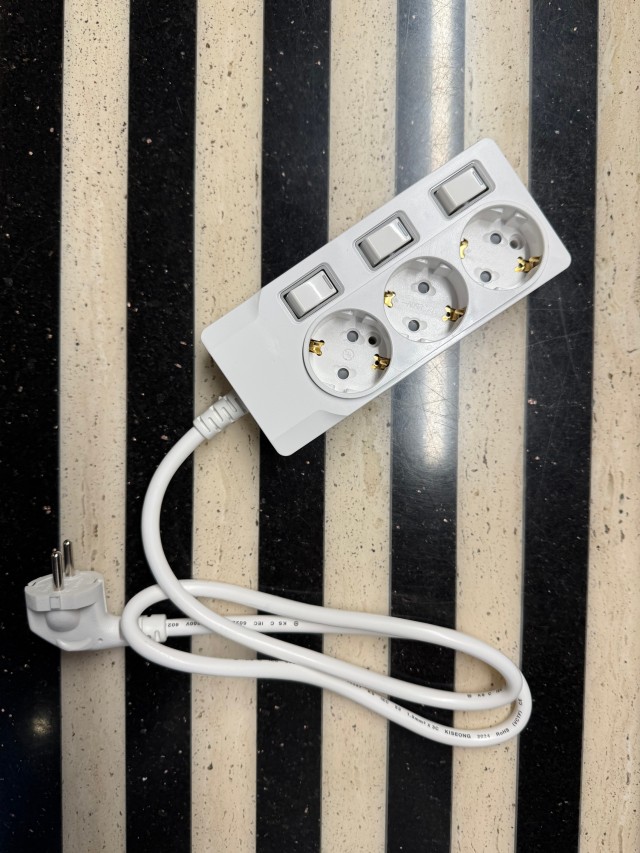
전선과 플러그를 함께 놓은 써보니 개별스위치 멀티탭

05 · HOOK AND SUPPORT

걸림편은 구멍에 걸리고, 지지부는 표면을 붙잡습니다

연결부 반대편에는 평평한 금속 단자가 놓입니다. 단자에는 작은 구멍이 있고, 연결부 쪽에는 그 구멍에 맞는 자리가 있습니다. 두 부품을 맞댄 뒤, 걸림편 끝이 단자 구멍을 통과하도록 접어 결합합니다.

걸림편 옆의 지지부도 함께 중요합니다. 지지부는 단자의 윗면에 닿도록 눌러 고정되어 단자가 들썩이는 것을 억제하는 역할을 합니다. 가운데에서는 구멍을 이용해 걸고, 양옆에서는 표면을 잡는다고 생각하면 됩니다.

그 결과 연결부와 단자가 면으로 접촉하면서 서로의 위치를 유지하도록 구성됩니다. 여기서 ‘맞물린다’는 표현은 손으로 끼웠다 빼는 탈착식 커넥터를 뜻하지 않습니다. 금속을 눌러 형상을 바꾸어 고정하는 제조 단계의 연결입니다.

HOOK

구멍을 이용한 고정

걸림편의 끝이 단자의 삽입 구멍을 통과합니다.

SUPPORT

표면을 이용한 지지

옆의 지지부가 단자 윗면을 붙잡습니다.

CONTACT

서로 맞닿는 금속 면

연결부와 단자가 면으로 접촉하는 자리를 만듭니다.

06 · CONTACT AND RETENTION

전기가 통하는 것과, 연결을 유지하는 것을 함께 봅니다

전기적 접촉은 두 금속 사이로 전기가 이어지는 일입니다. 기계적 고정은 그 접촉을 이루는 부품들이 제자리에 있도록 붙잡는 일입니다. 연결 구조를 볼 때 이 둘을 함께 살펴야 합니다.

써보니 연결 구조를 설명하는 포인트도 여기에 있습니다. 전선을 감싸는 고정편, 단자와 맞닿는 면, 구멍을 통과하는 걸림편, 표면을 잡는 지지부가 각자 다른 역할을 맡습니다. 단순히 “납땜을 생략했다”는 말보다 무엇이 연결을 만들어 유지하는지 보는 편이 더 정확합니다.

물론 모양만으로 접촉저항이나 수명을 숫자로 알 수는 없습니다. 실제 연결 품질에는 전선과 단자의 적합성, 압착 상태, 제조 검사 등이 함께 작용합니다. 3D는 구조를 이해하는 도구이고, 성능의 수치는 별도의 시험 근거로 확인하는 영역입니다.
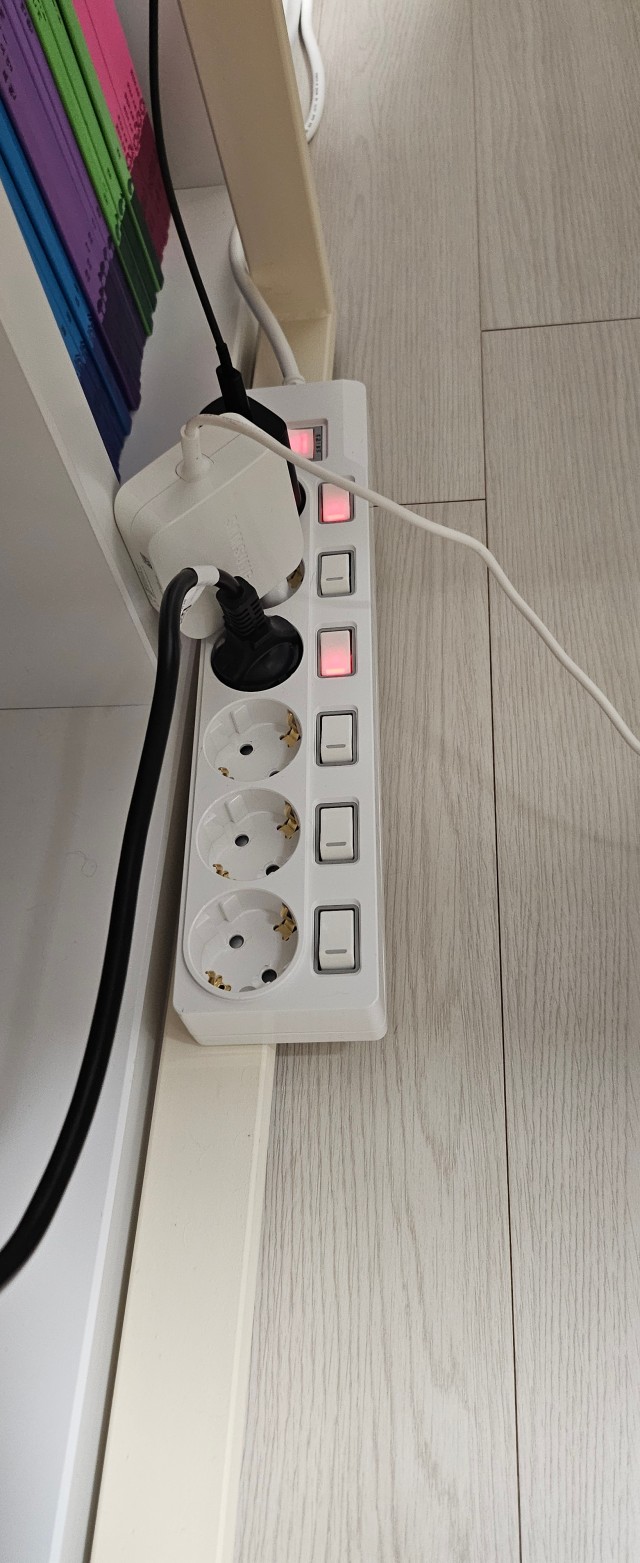
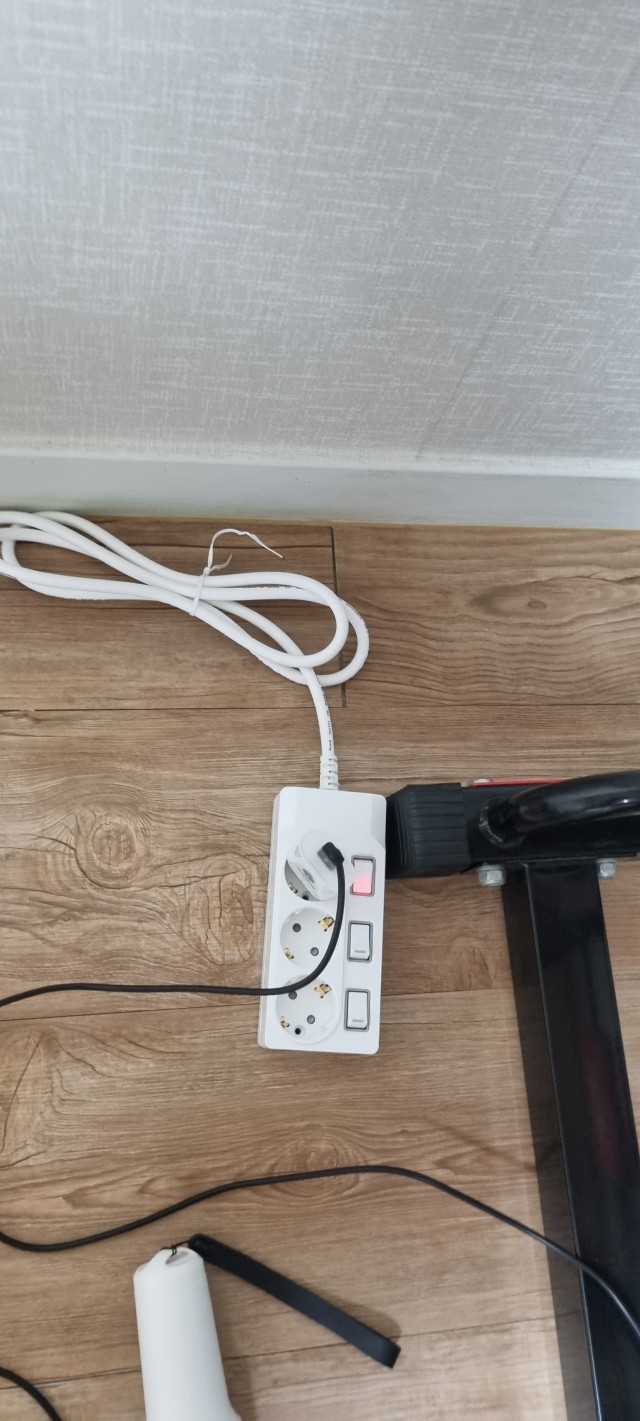
가구 옆에서 전선을 연결해 사용하는 써보니 개별스위치 멀티탭
본체로 들어가는 흰색 전선이 보이는 써보니 3구 멀티탭

07 · READ THE DESIGN

특허 번호보다 한 번 더 볼 것은, 그 안에 담긴 연결의 아이디어

특허라는 단어만으로 모든 멀티탭의 내부가 같다고 생각하기 쉽습니다. 하지만 공개 문서가 보여주는 것은 특정 연결 장치의 구성과 결합 관계입니다. 실제로 구입하는 제품의 적용 사양은 해당 모델의 상세 안내를 함께 봐야 합니다.

이 글에서 기억할 아이디어는 세 가지입니다. 전선을 감싸 잡고, 단자를 금속 면에 맞대며, 걸림편과 지지부로 결합을 유지한다는 것입니다. 이를 알면 제품 설명의 ‘연결 이음 밀착식’이라는 말이 막연한 표현에서 구체적인 구조로 읽히기 시작합니다.

납땜과 압착은 모두 적절한 설계와 제조 관리가 필요한 접속 방식입니다. 한 방식의 이름만으로 모든 다른 연결을 낮춰 볼 필요는 없습니다. 써보니가 소개하는 이 구조에서는 금속 부품의 형상과 고정 방법에 주목하면 됩니다.

08 · THE DETAIL THAT CONNECTS

눈에 잘 보이지 않는 연결부까지, 멀티탭을 보는 기준에 더합니다

스위치는 매일 누르고 소켓은 자주 보지만, 전선과 단자가 만나는 접속부는 평소 눈에 들어오지 않습니다. 이번에 살펴본 연결 이음 밀착식 구조는 그 안쪽의 작은 연결을 금속 부품의 형태로 풀어낸 설계입니다.

제품을 고를 때는 필요한 구수와 전선 길이, 스위치 방식, 정격을 먼저 맞추고 내부 연결 설명도 함께 읽어보세요. 외형의 쓰임과 안쪽의 구조를 함께 보면 써보니 멀티탭의 특징이 더 입체적으로 보입니다.

본체를 열어 확인할 필요는 없습니다. 궁금한 모델의 적용 구조는 제품 안내나 공식 문의로 확인하고, 실제 사용에서는 전선과 본체에 무리가 가지 않도록 배치하면 됩니다. 작은 접속부를 이해하는 일은, 매일 쓰는 제품을 한 단계 더 자세히 보는 일입니다.
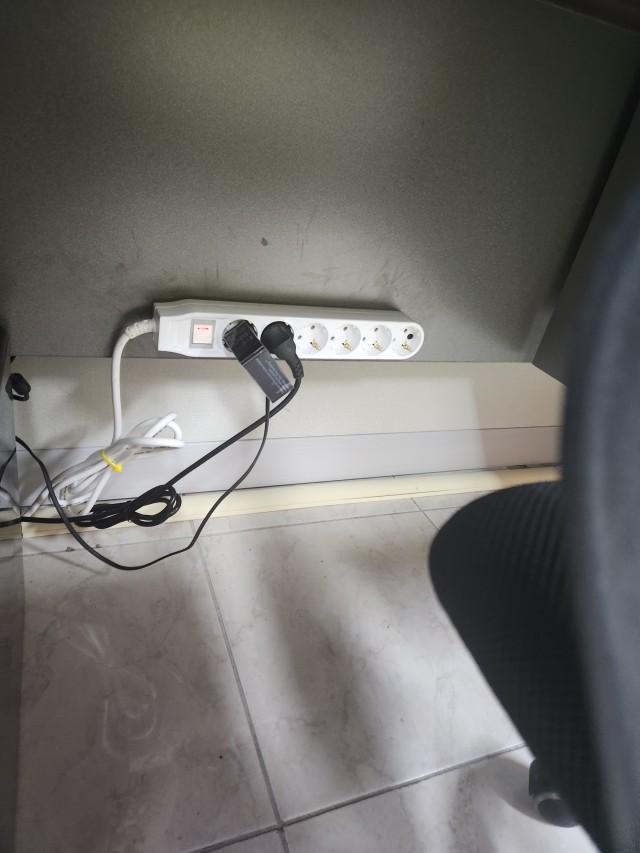
벽면 가까이에 배치한 써보니 통합스위치 멀티탭과 전선

써보니 멀티탭 3D로 비교하기

크게 보기 ↗

ENGLISH EDITION · INSIDE THE CONNECTION

Pressed into place: understanding the solderless terminal joint in Subony power strips

A closer look at how a wire, a formed metal connector and a flat terminal meet—and how the joint holds them together.

01 · The connection continues inside the housing

A power strip appears simple from the outside: a plug, a flexible cord and a row of outlets. Inside the housing, however, the conductors in the cord must connect to the appropriate metal terminals. The transition from a flexible wire to a rigid terminal is a small but important part of that arrangement. It deserves attention alongside outlet count, cord length and switch layout.

The ribbed section visible where the cord enters the body is an external cable-entry detail. It should not be confused with the metal electrical joint located farther inside. The photographs in this article show actual Subony products and their external cable arrangements. The interactive model separately explains one internal connection using the relationships illustrated in a published patent. Looking at those two scales together makes it easier to understand where the joint belongs without opening a product.

02 · What solderless means in this particular joint

Subony product information introduces this arrangement as a close-fitting connection structure. The associated published patent, Korean Patent No. 10-0806230, describes a terminal connection device. Instead of using molten solder to make this wire-to-terminal joint, the design uses a formed metal connector. Portions of that connector are pressed around the wire, while other portions engage and support the terminal.

Crimping means applying pressure to change the shape of the metal around the part being secured. The formed metal remains in its changed shape, creating a mechanical hold and an electrical contact where the conductive parts meet. This is a different joining process, rather than an empty space left by omitted solder. The scope here is the illustrated terminal joint. It does not establish that every component in a complete power strip, including any USB charging electronics, is assembled without solder.

03 · Follow the joint through the interactive model

Use the scene buttons to move from the separated parts to the completed connection. Copper represents the wire conductor, teal identifies its insulation, silver distinguishes the connector and gold marks the flat terminal. These colors help separate the roles of the parts; they are not a material or plating specification for a production model. Rotate the view to see the opening in the terminal and the formed pieces on either side.

The first group of tabs wraps around the conductor and the insulated portion of the wire. At the other end, a pair of hooks engages the terminal opening, while adjacent supports bear on its upper surface. The animation expands these relationships so that normally hidden surfaces can be inspected. It is an explanatory model of the first illustrated embodiment, with simplified proportions and strand count. It is neither a dimensional production drawing nor a guide to dismantling and rebuilding a power strip.

04 · The conductor and insulation have different holding points

At the end of a prepared wire, the exposed conductor and the insulated portion perform different jobs. The conductor provides the electrical path. The insulation separates that path from surrounding conductive parts. The published drawing therefore shows differently sized fixing tabs arranged to hold these two portions separately. The metal wraps around the relevant part of the wire at each location.

This distinction is useful even without specialist terminology. One region makes contact with the conducting strands, while another holds the insulated wire. The insulation itself is not treated as the conducting surface. In practical use, it is also helpful to distinguish an internal wire hold from the external cable entry. Neither is a reason to pull on a cord when removing a plug. Grip the plug body and avoid repeatedly transferring unnecessary mechanical force into the cable and its connections.

05 · Hooks engage the opening, supports hold the surface

The terminal side contains a flat metal piece with an opening. A corresponding recess in the connector provides space for the engaging parts. When the terminal and connector are brought together, the hooks are formed so that their ends enter the opening. The surrounding supports are pressed against the terminal surface. The design combines engagement through an opening with support at the adjacent surface.

These features have complementary roles. The hooks help constrain relative movement through their engagement, while the supports help keep the terminal seated against the connector. Their purpose is to maintain the intended contact arrangement, rather than merely making the parts look aligned. Although the word interlocking is a useful description, this is not a hand-operated snap connector intended for repeated removal. The metal is deformed during manufacture. The animation separates the parts to explain the geometry, not to suggest that a finished joint should be pulled apart.

06 · Electrical contact and mechanical retention work together

An electrical connection needs conductive surfaces to meet. A durable assembly also needs those parts to remain in their intended positions. These are related requirements, but they are not the same thing. The flat contact area, the wire-fixing tabs, the hooks and the supporting pieces each contribute a different part of the illustrated arrangement. Following their roles is more informative than simply observing that solder is absent.

The appearance of a joint alone does not provide a measured contact resistance, temperature rise or service life. Production quality also depends on compatible wire and terminal specifications, the forming process and appropriate inspection. The model therefore contains no invented performance comparison or universal load rating. Its purpose is to explain how the components meet and are retained. Any numerical performance statement about a particular product would need its own relevant test evidence and applicable conditions.

07 · Read the design idea behind the patent reference

A patent reference provides a route to understanding a described structure. It does not mean that every product carrying the same brand necessarily has identical internal dimensions or every illustrated variation. For a purchase decision involving a specific model, read that model’s current product information or ask Subony to confirm the applicable specification. External photographs cannot establish the precise internal arrangement by themselves.

The design idea explored here is straightforward: hold the wire, bring the terminal into surface contact, then retain the terminal through formed hooks and supports. This turns a short product phrase into a visible mechanical relationship. Soldering and crimping both require suitable engineering and manufacturing controls. The useful comparison is how this particular joint is formed and held, rather than an unsupported claim that every soldered connection is inferior. A clear explanation of the parts makes the feature easier to assess on its own terms.

08 · Add the hidden joint to your view of the whole product

Switches and sockets are the parts people handle every day, while the junction between a wire and a terminal remains out of sight. Examining that junction adds another layer to understanding a Subony power strip. It shows how a small formed metal component can combine contact surfaces and holding features within one connection arrangement. That detail complements the more visible choices of outlet number, cord routing and switch configuration.

Choose those everyday specifications to suit the installation first, and read the applicable electrical ratings and product instructions. Then use the internal-structure information to understand the design more fully. There is no need to open the housing to learn about it; official product information and model-specific enquiries provide the appropriate route. In daily use, arrange the body and cord without avoidable pulling or bending at the entry. Understanding a hidden connection is ultimately a way to look more closely at an ordinary product, one small detail at a time.

추가 정보접속 방식 비교 · 구조 용어 · 확인 포인트 · FAQ

연결부를 다섯 가지 관점으로 읽기

살펴볼 부분구조에서 하는 일구분해서 이해할 점
도체 고정편노출된 도체를 감싸 접촉과 고정 형성절연 피복을 전기가 통하는 면으로 설명하지 않음
피복 고정편절연된 전선 부분을 함께 잡음외부 전선 인입부와 위치가 다름
단자 접촉면연결부와 단자가 면으로 맞닿음면적만으로 저항·발열 수치를 추정하지 않음
걸림편단자의 구멍을 통과해 결합탈착용 스프링 버튼이 아님
지지부단자 표면을 받쳐 고정과부하나 누설전류를 감지하는 장치가 아님

어려운 이름을 쉬운 말로

단자
전선이나 다른 전기 부품이 연결되는 금속 부위입니다.
접속부재
전선과 단자 사이에서 둘을 이어 주는 금속 연결부입니다.
압착
압력을 가해 금속의 모양을 바꾸어 부품을 감싸거나 고정하는 방식입니다.
전선 고정편
전선 쪽으로 접혀 도체 또는 피복 부분을 잡는 금속 날개입니다.
걸림편
단자의 구멍에 끝부분이 들어가 결합을 유지하는 금속 부분입니다.
지지부
걸림편 옆에서 단자 표면을 붙잡아 지지하는 부분입니다.
면접촉
두 부품의 표면이 서로 맞닿는 관계입니다. 실제 전기적 성능은 접촉 상태와 제조 조건 등을 함께 확인해야 합니다.

제품 설명을 읽을 때 확인할 여덟 가지

  • 연결 구조가 어느 모델의 어느 부위를 설명하는지 확인합니다.
  • 제품 전체와 한 접속부의 조립 방식을 구분합니다.
  • 전선 도체와 절연 피복의 역할을 나누어 봅니다.
  • 외부 인입부와 내부 금속 접속부를 구분합니다.
  • 걸림편이 들어가는 구멍과 지지부의 위치를 봅니다.
  • 구조 설명과 성능 시험 수치를 구분합니다.
  • 구수·스위치·전선 길이·정격은 모델별로 확인합니다.
  • 내부 확인을 위해 본체를 열기보다 공식 제품 안내를 이용합니다.

자주 묻는 질문

납땜이 없으면 전기는 어떻게 이어지나요?

도체와 금속 연결부, 연결부와 단자가 접촉하도록 구성합니다. 압착된 전선 고정편과 단자 쪽 걸림·지지 구조가 각각 접속부의 자리를 잡아 줍니다.

땜납만이 전기적 연결을 만드는 유일한 방법은 아닙니다. 이 구조는 금속의 접촉과 기계적 고정을 이용하는 방식으로 이해하면 됩니다.

압착은 손으로 전선을 끼우는 방식인가요?

이 글의 압착은 제조 과정에서 금속에 압력을 주어 형상을 바꾸는 방식입니다. 손으로 끼우면 스프링이 잠기는 탈착식 단자와는 다릅니다.

3D에서 부품을 벌려 보여주는 것은 구조 설명을 위한 장면 전환입니다. 완제품을 열어 같은 동작을 따라 하는 조립 안내가 아닙니다.

왜 도체와 피복을 따로 잡나요?

공개 도면은 피복이 벗겨진 도체 부분과 피복이 있는 부분을 각각 고정하는 날개를 보여줍니다. 두 부분의 두께와 역할이 다르기 때문입니다.

도체는 전기적으로 연결되는 부위이고 피복은 절연된 전선을 지지하는 부위입니다. 피복 자체로 전류를 전달한다는 의미는 아닙니다.

걸림편과 지지부는 같은 부품인가요?

한 연결부에서 이어진 금속 부분이지만 역할과 위치를 나누어 설명합니다. 걸림편은 단자의 구멍을 통과하는 부분이고, 지지부는 그 옆에서 단자 표면을 붙잡습니다.

구멍을 이용한 결합과 표면을 이용한 지지를 함께 갖추는 것이 공개 도면에서 살펴볼 포인트입니다. 3D를 돌리면 두 자리를 비교할 수 있습니다.

써보니 제품 전체에 납땜이 없다는 뜻인가요?

이번 설명은 공식 안내와 공개 특허를 통해 살펴본 전선·단자 접속부에 한정합니다. 다른 회로나 부품까지 동일한 접속 방식을 쓴다고 뜻하지 않습니다.

USB 기능 등 추가 회로가 있는 제품도 있으므로 특정 모델 전체의 조립 방식이 궁금하다면 모델명을 기준으로 공식 문의를 이용하는 것이 정확합니다.

이 연결 구조가 과부하나 누전을 차단하나요?

접속부는 전선과 단자를 연결하고 고정하는 역할을 설명합니다. 전류를 감지해 전원을 끊는 차단 장치의 역할과는 구분해야 합니다.

제품의 스위치·차단기·접지 기능은 각각의 사양과 동작 조건을 따로 확인합니다. 연결 구조를 이유로 제품 정격을 넘겨 사용할 수는 없습니다.

납땜보다 항상 좋은 방식이라고 보면 되나요?

방식의 이름 하나로 모든 조건의 우열을 정할 수는 없습니다. 접속 품질은 부품의 적합성, 설계, 공정과 검사 등 여러 조건에 영향을 받습니다.

이 글은 써보니가 소개하는 연결 구조의 형상과 역할을 설명합니다. 접촉저항·발열·수명의 수치 비교는 해당 모델의 별도 시험 자료가 있어야 말할 수 있습니다.

내 멀티탭도 같은 구조인지 직접 열어 봐야 하나요?

본체를 열어 볼 필요는 없습니다. 제품명과 모델명을 확인하고 공식 상세 안내나 고객 문의를 통해 적용 구조를 확인하세요.

외형 사진이나 구수만으로 내부 세부 형상을 확정하기는 어렵습니다. 3D는 원리를 이해하는 데 쓰고, 실제 사용은 완제품 상태와 해당 제품 안내를 기준으로 하면 됩니다.

관련 키워드

써보니연결 이음 밀착식납땜 없는 연결단자 연결압착전선 고정걸림편지지부재면접촉특허 연결 구조Subonysolderless jointterminal connectionwire crimpcontact surfacemechanical retention