
몇 구짜리보다 먼저 정할 자리
멀티탭을 고를 때 대부분은 2구, 3구, 4구, 6구처럼 구수부터 봅니다. 그런데 실제로 설치해 보면 구수보다 먼저 맞아야 하는 것이 있습니다. 바로 멀티탭 위치입니다. 어디에 놓을지 정하지 않고 제품을 사면 전선이 짧거나 길고, 스위치 방향이 안 맞고, 플러그가 가구에 눌리는 일이 생깁니다.
침대 옆에 둘 제품과 TV장 뒤에 둘 제품은 기준이 다릅니다. 책상 위에 올릴 제품과 바닥에 눕혀 둘 제품도 다르게 봐야 합니다. 같은 3구 멀티탭이라도 벽 콘센트와의 거리, 플러그 방향, 전선이 지나가는 동선에 따라 사용감이 완전히 달라집니다.
써보니 멀티탭을 고를 때도 이 순서가 맞습니다. 먼저 놓을 위치를 정하고, 그다음 전선 길이와 구수, 개별스위치 구성, 접지 구조를 맞추는 방식입니다. 멀티탭은 몇 구인지보다 어디에서 어떤 제품을 연결할지가 먼저 보이면 선택이 훨씬 선명해집니다.
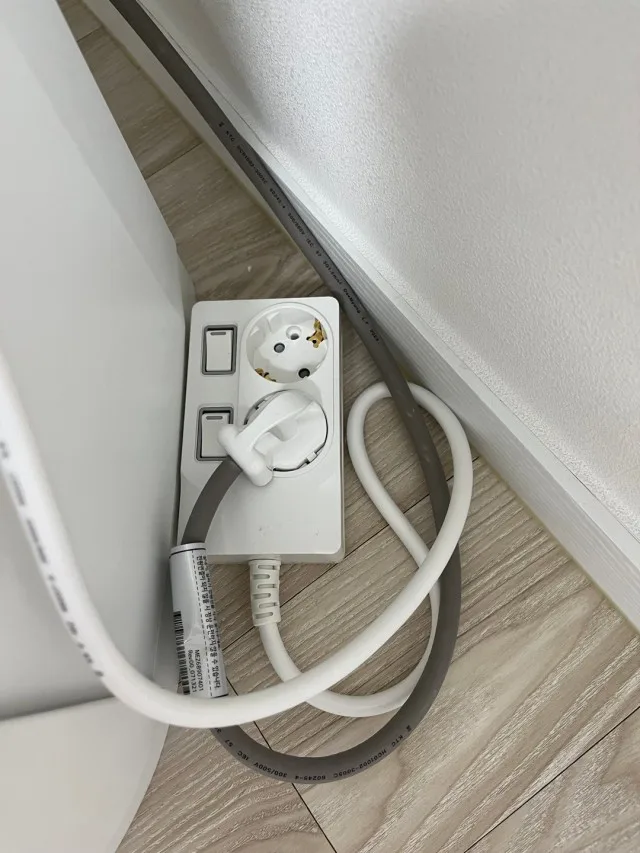
벽 콘센트와 가구 사이의 실제 거리
집 안에서 멀티탭이 가장 애매해지는 곳은 벽 콘센트와 가구 사이입니다. 침대, 책상, 수납장, TV장처럼 가구가 벽을 가리면 콘센트는 보이지 않지만 전원은 계속 필요합니다. 이때 멀티탭을 아무 데나 놓으면 플러그가 꺾이거나 전선이 눌립니다.
가구와 벽 사이에 놓는 멀티탭은 전선이 빠지는 방향을 먼저 봐야 합니다. 플러그가 벽 쪽으로 밀리지 않는지, 전선이 지나갈 틈이 있는지, 스위치를 손으로 누르기 쉬운 위치인지가 중요합니다. 사진처럼 좁은 틈에 들어가는 자리라면 구수가 많아도 쓰기 불편합니다.
써보니 멀티탭은 본체가 깔끔하고 전선 길이 선택지가 있어 이런 위치를 먼저 잡기 좋습니다. 가까운 콘센트에는 짧은 길이가 낫고, 가구 뒤로 돌아가야 하는 자리에는 2m, 3m, 5m처럼 여유 있는 길이가 필요합니다. 길이는 제품 스펙이 아니라 설치 위치에서 결정됩니다.

바닥에 둘지 가구 위에 둘지의 차이
멀티탭은 바닥에 놓을 때와 가구 위에 둘 때 느낌이 전혀 다릅니다. 바닥에 놓으면 눈에는 덜 띄지만 먼지가 쌓이기 쉽고, 청소할 때 전선이 걸립니다. 가구 위에 올리면 손이 닿기 편하지만 제품 본체와 전선이 그대로 보입니다.
그래서 바닥에 둘 제품은 전선 방향과 스위치 위치가 중요하고, 가구 위에 둘 제품은 본체 마감과 색상이 더 눈에 들어옵니다. 커튼 옆, 침대 옆, 책상 모서리처럼 보이는 자리에 놓는다면 멀티탭도 생활 소품처럼 보일 수밖에 없습니다.
써보니 멀티탭은 화이트 본체와 정돈된 스위치 라인이 있어 보이는 자리에서도 부담이 적습니다. 다만 보이는 자리에 놓더라도 플러그가 위로 과하게 솟거나 케이블이 여러 방향으로 흩어지면 금방 어수선해집니다. 위치와 방향을 먼저 잡고 제품을 고르면 같은 멀티탭도 훨씬 깔끔하게 놓입니다.
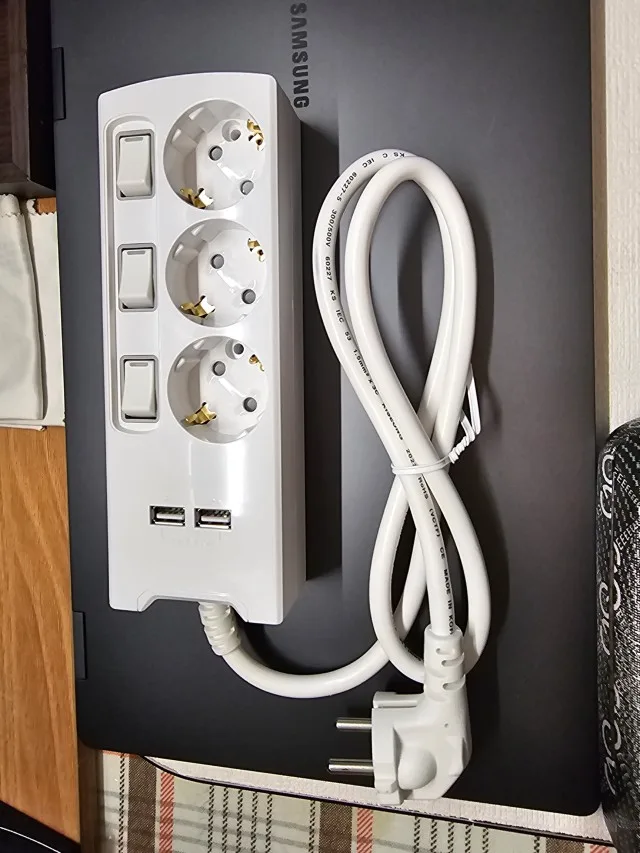
침대, 거실, 책상은 전원 흐름이 다릅니다
침대 옆 멀티탭은 충전기와 조명처럼 자주 쓰는 작은 전원이 중심입니다. 이 자리에서는 손이 닿기 쉬운 위치와 스위치 방향이 더 중요합니다. 반대로 거실 TV 주변은 셋톱박스, 공유기, 스피커, 충전기처럼 계속 꽂아두는 제품이 많아 전선 정리가 먼저 보입니다.
책상 주변은 또 다릅니다. 모니터, 노트북 어댑터, 스탠드, 충전 케이블이 함께 모이기 때문에 전선이 어디로 빠지는지가 작업 공간의 깔끔함을 좌우합니다. 멀티탭을 책상 위에 올릴지, 책상 아래에 붙일지, 바닥에 놓을지에 따라 필요한 구수와 길이도 바뀝니다.
이처럼 공간마다 전원 흐름이 다른데도 구수만 보고 고르면 맞지 않는 제품을 사기 쉽습니다. 써보니 제품군은 1구, 2구, 3구, 6구, USB, 개별스위치 라인처럼 구성이 다양해 위치에 맞춰 고르기 좋습니다. 먼저 자리를 정하면 제품 선택은 훨씬 단순해집니다.
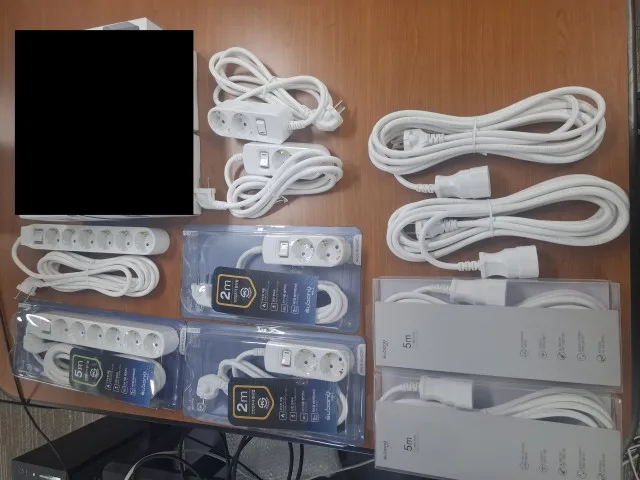
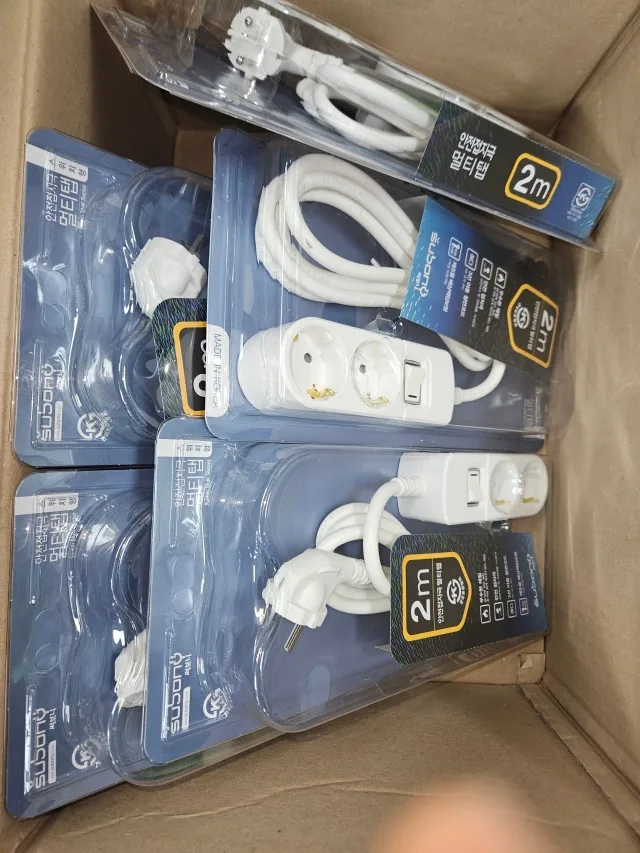
몇 구짜리를 살지보다 어디에 둘지 먼저 정하니까 전선 길이 고르기가 훨씬 쉬웠어요. 가구 뒤에 딱 맞게 들어가서 바닥도 덜 복잡해졌습니다.
pst*******
길이와 스위치는 위치에서 결정됩니다
전선 길이는 넉넉하면 무조건 좋다고 생각하기 쉽습니다. 하지만 좁은 방이나 책상 옆에서는 남는 전선이 바닥에 말리고, 먼지가 쌓이고, 청소할 때 계속 걸립니다. 반대로 길이가 짧으면 원하는 위치까지 닿지 않아 멀티탭 본체가 어정쩡한 곳에 놓입니다.
스위치도 마찬가지입니다. 멀티탭을 가구 뒤에 놓을 때는 스위치가 보이는 방향이어야 하고, 바닥에 놓을 때는 발에 밟히지 않는 위치가 좋습니다. 책상 위에 올릴 제품이라면 스위치를 손으로 누르기 편한지, 플러그 방향이 노트북이나 모니터 선과 부딪히지 않는지까지 봐야 합니다.
써보니 멀티탭은 길이와 구성이 다양해 위치별로 맞추기 좋습니다. 가까운 콘센트에는 1m나 2m가 어울리고, 가구를 돌아가야 하는 자리에는 3m 이상이 필요합니다. 제품을 먼저 고르기보다 위치를 먼저 보는 이유가 바로 여기입니다.
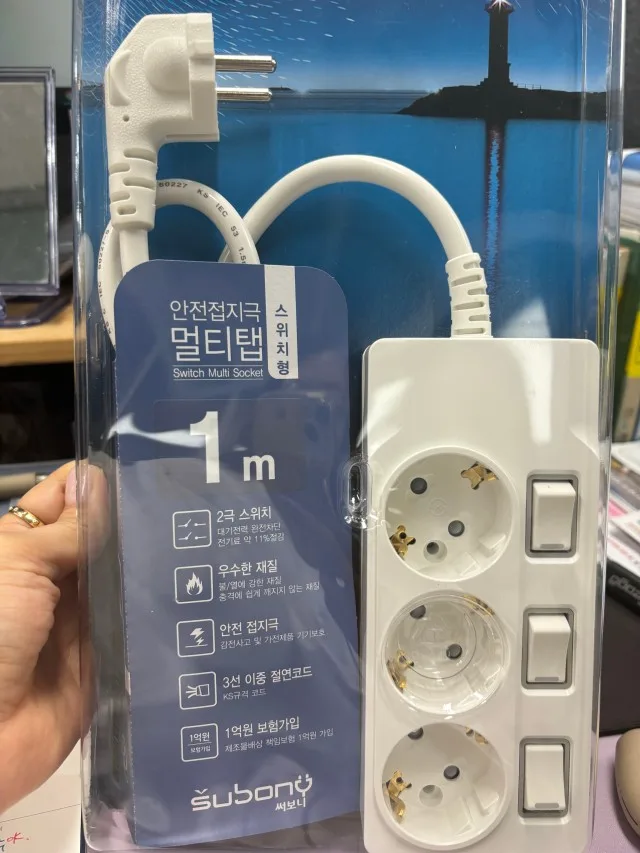
좋은 위치에도 전기 기준은 남습니다
멀티탭 위치가 잘 맞으면 집이 훨씬 정돈되어 보입니다. 그래도 멀티탭은 전기 제품입니다. 보기 좋은 위치에 놓였다고 해서 아무 제품이나 여러 개 연결해도 된다는 뜻은 아닙니다. 정격, 접지, 전선 상태, 플러그 체결감, 연결 제품의 소비전력은 늘 함께 봐야 합니다.
써보니 멀티탭은 최대 4,000W까지 고려한 설계와 생활 사용 권장 기준인 2,800W 이내 전체 합산 소비전력 기준을 함께 갖춘 제품입니다. 이 2,800W는 한 구별 숫자가 아니라 연결한 제품 전체의 소비전력 합계입니다. 충전기와 조명 중심의 자리와 드라이기나 전기히터 같은 고전력 제품을 쓰는 자리는 기준이 다릅니다.
결국 좋은 멀티탭 선택은 구수 하나로 끝나지 않습니다. 어디에 놓을지, 어떤 방향으로 전선이 빠질지, 어떤 제품을 꽂을지, 어느 정도 전력을 쓰는지까지 함께 봐야 합니다. 써보니 멀티탭은 위치 중심으로 고를 때 생활 공간과 전기 기준을 함께 맞추기 좋은 제품입니다.
Placement Comes Before Outlet Count
Many people start by asking whether they need a two-outlet, three-outlet, four-outlet, or six-outlet power strip. That is understandable, but the better starting point is placement. A power strip that has enough outlets can still feel wrong if it sits in the wrong place.
The distance from the wall outlet, the gap behind furniture, the direction of the plug, and the way the cable moves through the room all shape daily use. A power strip beside a bed is different from one behind a TV console. A power strip on a desk is different from one placed on the floor.
Subony power strips make more sense when the location is chosen first. Once the place is clear, cable length, outlet count, switch type, and grounding can be selected with less guessing.
This also prevents one of the most common mistakes at home: buying a product with many outlets, then hiding it in a place where the switch is hard to reach or the cable bends too sharply. A good setup starts with the room, not with the product box.
The Space Between Wall Outlets and Furniture
The most difficult power strip locations are often between wall outlets and furniture. Beds, desks, storage units, and TV cabinets can hide the outlet while still needing power. If the power strip is placed without checking the space, plugs may bend, cables may be pressed, and switches may become hard to reach.
For narrow areas, the cable direction matters as much as the outlet count. A compact product may work better than a large one with many sockets. If the cable has to pass behind furniture, the right length becomes more important than simply adding more outlets.
Subony’s range of lengths and outlet types helps match the product to the actual room. A short model is useful near a close wall outlet, while a longer 3m or 5m model works better when the cable has to travel around furniture.
In small apartments and renovated rooms, outlets are often hidden by beds, shelves, cabinets, or low tables. In those spaces, the difference between a neat power area and a messy one is usually decided by only a few centimeters of clearance.
Floor Placement and Visible Placement Feel Different
A power strip on the floor stays less visible, but it collects dust and can get in the way during cleaning. A power strip placed on furniture is easier to reach, but the body and cables remain visible. The same product can feel completely different depending on where it sits.
For visible areas, body finish and color become more noticeable. A clean white power strip can blend into bright rooms and wood furniture. A black model can look better around dark adapters and black cables. The product has to match the room, not only the number of devices.
This is why placement should lead the choice. Once the power strip’s position is fixed, it becomes easier to decide whether the product should be compact, switched, longer, shorter, white, black, visible, or hidden.
When the power strip stays in sight, small details matter more than people expect. The shape of the body, the spacing between plugs, and the way the cable leaves the product all affect how clean the area looks after everything is connected.
Different Rooms Need Different Power Flow
Beside the bed, the power strip often handles chargers, lighting, and small devices. In the living room, it may handle a TV, router, set-top box, speaker, and charger. Around a desk, the setup may include a monitor, laptop adapter, lamp, and several charging cables.
Each room has its own power flow. If the location is not decided first, the power strip may end up in a place that makes cables look messy. Outlet count alone cannot solve that problem. Cable direction, switch access, plug spacing, and the distance from the wall outlet all matter.
Subony power strips are available in various styles, including single-outlet, multi-outlet, USB, and individual-switch models. That variety works best when the user chooses based on the actual place where the product will stay.
For example, a desk setup may need frequent access to charging cables, while a TV console usually needs a stable arrangement that stays untouched for months. Treating those two locations the same often leads to the wrong product choice.
A Good Location Still Needs Electrical Standards
A neat location can make a room look more organized, but a power strip is still an electrical product. Rated capacity, grounding, plug fit, cable condition, and the total wattage of connected devices should be checked. A visually clean setup should also be an electrically reasonable setup.
Subony power strips are designed with up to 4,000W in mind, while everyday use is recommended around 70%, or about 2,800W total load. This is not a per-socket number. It is the combined wattage of all devices connected to the power strip.
The best choice begins with the place, then moves to cable length, outlet count, switches, grounding, and total load. When those points line up, the power strip becomes part of the room instead of an object that interrupts it.
That is why a placement-first choice is not only about interior styling. It is also a practical way to avoid strained cables, hidden switches, crowded adapters, and overloaded setups. The product works better when the room around it has been considered.
추가 정보
멀티탭 위치는 구수보다 먼저 정해야 하는 기준입니다. 벽 콘센트와 가구 사이 거리, 전선이 지나가는 방향, 스위치를 누르기 쉬운 위치, 플러그가 눌리지 않는 공간을 먼저 보면 제품 선택이 훨씬 쉬워집니다. 써보니 멀티탭은 길이와 구성이 다양해 침대, 거실, 책상, 가구 뒤쪽처럼 위치별로 맞춰 고르기 좋습니다.
몇 구짜리인지부터 보면 실제 설치 공간과 맞지 않는 경우가 생깁니다. 전선이 짧거나 너무 길고, 스위치가 보이지 않거나, 플러그 방향이 가구와 부딪히는 일이 대표적입니다. 위치를 먼저 잡으면 구수와 길이, 스위치 구성이 자연스럽게 정해집니다.
멀티탭 위치를 정할 때 보는 기준
- 벽 콘센트에서 멀티탭을 둘 자리까지 실제 거리를 봅니다.
- 가구 뒤쪽에 전선이 눌릴 틈이 있는지 확인합니다.
- 스위치를 손으로 누르기 쉬운 방향인지 봅니다.
- 청소할 때 전선이 걸리지 않는 위치인지 살펴봅니다.
- 플러그와 어댑터가 서로 부딪히지 않는 공간인지 확인합니다.
- 보이는 자리에 둘 제품은 본체 색상과 마감도 함께 봅니다.
공간별 선택 포인트
침대 옆은 충전기와 조명처럼 손이 자주 가는 전원이 중심입니다. 스위치 방향과 본체 위치가 중요합니다. 거실 TV 주변은 계속 꽂아두는 제품이 많아 전선 정리와 구수 여유가 필요합니다. 책상 주변은 모니터, 노트북 어댑터, 스탠드, 충전 케이블이 모이기 때문에 전선이 빠지는 방향이 작업 공간의 깔끔함을 좌우합니다.
가구 뒤쪽은 눈에 덜 보이지만 먼지가 쌓이기 쉽고 플러그를 확인하기 어렵습니다. 이런 자리는 전선이 꺾이지 않는지, 스위치가 가려지지 않는지, 플러그가 벽이나 가구에 눌리지 않는지 먼저 보는 편이 좋습니다.
전기 기준까지 함께 보는 이유
써보니 멀티탭은 최대 4,000W까지 고려한 설계와 생활 사용 권장 기준인 2,800W 이내 전체 합산 소비전력 기준을 함께 갖춘 제품입니다. 이 2,800W는 한 구당 숫자가 아니라 연결한 제품 전체 소비전력의 합계입니다.
위치가 잘 맞아도 소비전력이 큰 제품을 몰아 쓰면 좋은 배치가 안전한 사용을 대신하지 못합니다. 드라이기, 전기포트, 전기히터, 에어프라이어처럼 열을 만드는 제품은 같은 멀티탭에 동시에 몰아 쓰지 않는 편이 낫습니다.
자주 묻는 질문
멀티탭은 몇 구짜리부터 골라야 하나요?
가구 뒤쪽에는 어떤 멀티탭이 맞나요?
전선 길이는 길수록 좋은가요?
보이는 자리에 멀티탭을 둬도 괜찮나요?
써보니 멀티탭 권장 사용량은 어떻게 보면 되나요?
관련 페이지와 검색 키워드
써보니 제품군과 공식 판매 정보는 IWID 써보니 페이지, 써보니 공식 브랜드 페이지, 써보니 스마트스토어에 정리되어 있습니다.