ENGLISH EDITION · THE FIRST MOMENT
Why current can rise when you switch on a power strip
Understanding startup current through Subony master-switch and individually switched power strips.
01 · Separate the starting moment from normal operation
A power strip is often chosen by counting outlets and adding the power ratings of the connected devices. Those checks matter, but there is another moment to consider: the instant when input power first reaches a device. Some equipment briefly draws substantially more current at startup than it draws after its operating condition has settled. This temporary increase is called inrush current. It is a starting event rather than a description of how much electricity the equipment continuously uses.
The existence of inrush current does not by itself identify a faulty device or a defective power strip. Its peak, duration and shape depend on the equipment and the supply conditions. A short pulse and a sustained overload need different assessments. Neither a reassuring average power figure nor a single alarming peak is enough to describe every aspect of a connection. For the reader, the useful first step is simply to keep two pictures separate: receiving power for the first time, and continuing to operate afterward.
02 · A capacitor needs an initial charge
A capacitor stores electric charge. Capacitors are used in power supplies, including the input stages of many adapters, as part of the process of preparing usable power for the device. When power is first applied, charging current enters these components. That charging interval can demand more current than the later operating state. As the starting conditions settle, the initial excess decreases. This gives us a practical example for understanding why a small device can still have a noticeable startup event.
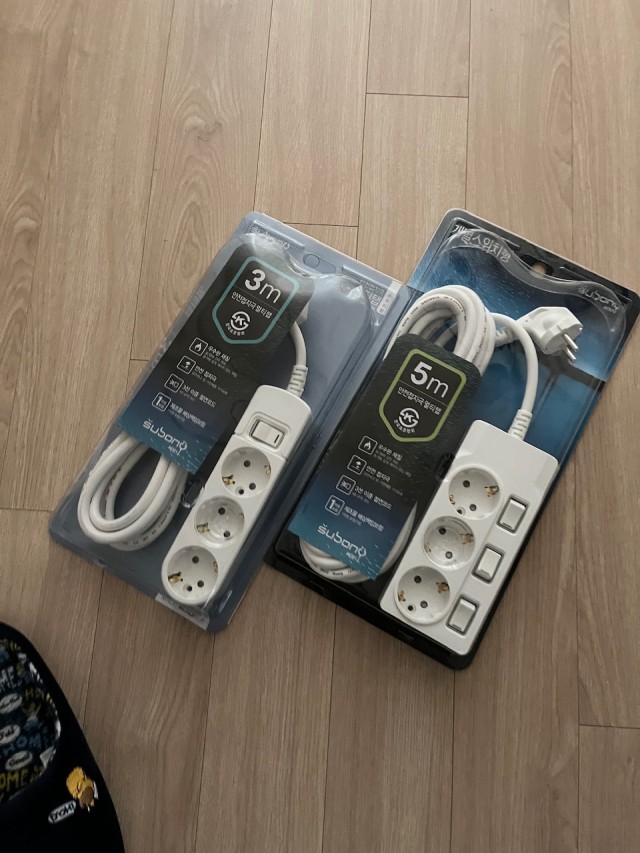
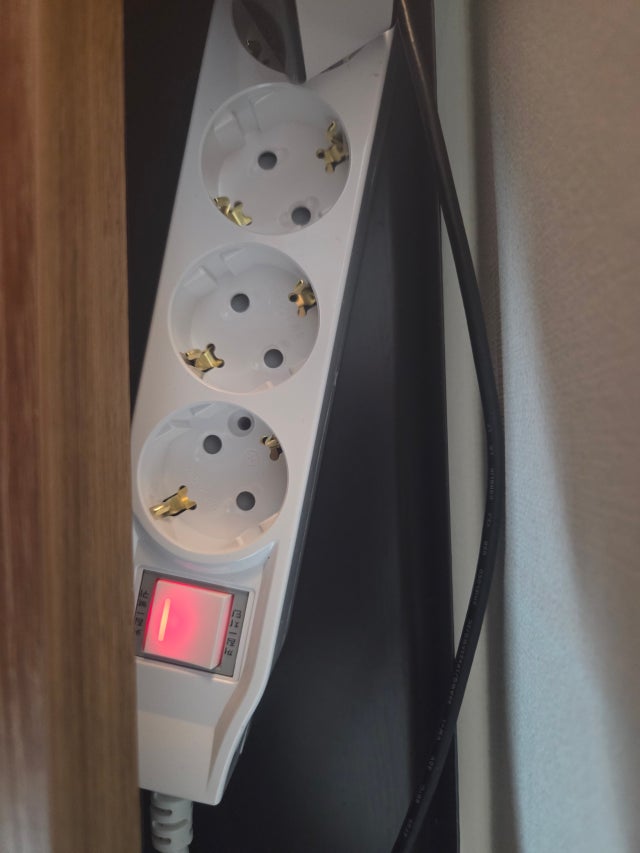
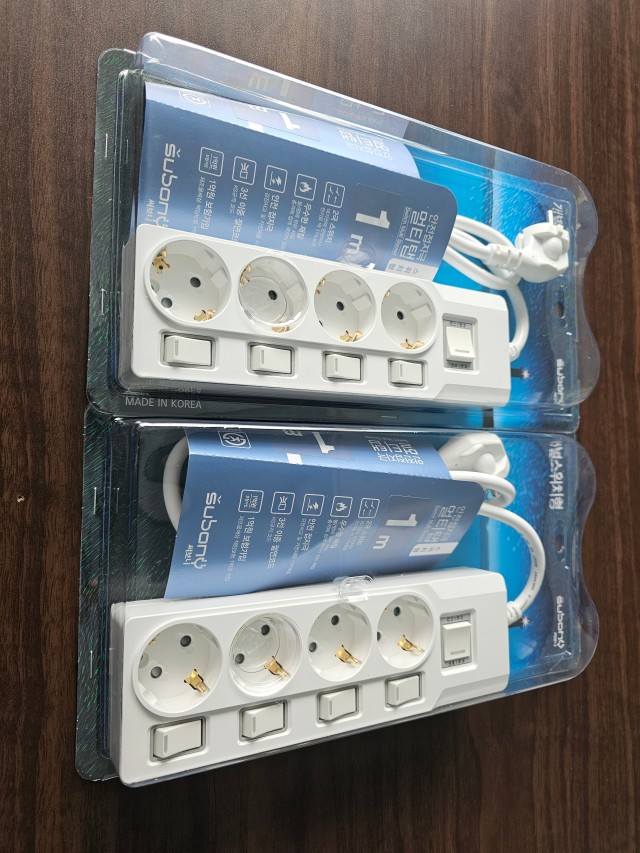
Capacitor charging is not the only mechanism behind startup current. Motor starting and transformer energization involve different processes, so their behavior should not be described with a universal curve or a fixed multiplier. This article focuses on three illustrative adapter loads to keep the comparison clear. The real photographs show Subony products and actual connections; they do not establish measured current values for the photographed adapters. A product-specific electrical assessment would require its specifications and appropriate measurements under defined conditions.
03 · Explore simultaneous and separated starts in the 3D scene
The interactive scene compares the same three illustrative loads with different starting times. In the simultaneous case, all three starting events occur together. In the separated case, each event appears at a different point along the timeline. Watch the individual bars as well as the total curve. After every device has settled, both cases arrive at the same combined operating level. The comparison changes timing; it does not change the number of devices or their ongoing demand.
The display represents relative input-current magnitude. It is not an alternating-current waveform, an oscilloscope recording or a measured performance claim for a Subony model. The brief event is deliberately expanded so that it can be followed on screen. Playback time is not a recommended waiting interval. Separating starts may reduce overlap between the events, but each device still has its own startup behavior. It does not increase the power strip rating, remove a sustained overload or guarantee that a protective device will never operate.
04 · What a master switch does at startup
A Subony master-switch power strip provides a convenient way to control the outlet supply together. This arrangement suits groups of devices that are normally used at the same time. When several connected power supplies receive their AC input together, their starting events can overlap. The practical question is therefore not just how many devices are connected, but which input stages are energized by that particular switching action.
A device appearing to be off does not necessarily mean that its input power supply is disconnected. For example, an adapter may receive AC input and complete its initial charging process while the connected equipment is still in standby. Pressing the equipment buttons one after another later is therefore not automatically the same as separating the initial AC input events. The location and function of each control matter. Understanding this distinction makes the comparison more useful than simply labeling one style of power strip as good and the other as bad.
05 · Individual switches control timing, not peak current
Individually switched Subony models allow the outlet supply to be controlled separately. Where the connected equipment permits this kind of supply control, the user can choose different starting times for different outlets. This is the relevant convenience in an article about overlapping startup events. It can also suit equipment that is used at different times, provided that the equipment has been shut down correctly and does not require continuous power.
An individual mechanical switch is not the same thing as an electronic inrush-current limiter. Pressing separate buttons does not erase the charging current inside each power supply. Dedicated limiting or soft-start functions involve their own circuit design and specifications. No such function should be inferred merely from a row of switches on a product. The distinction is straightforward: one approach lets the user choose when a load receives power; the other changes how a particular circuit draws current while it starts. They solve different parts of the problem.
06 · The upstream switching order still matters
If every individual outlet switch is left on and an upstream supply is then restored, the connected loads may all receive input power together. A master control, a wall supply or another upstream interruption can therefore change the actual starting sequence. On a model that includes both individual controls and a main control, it is worth identifying which outlets each switch affects before deciding how to operate the arrangement. The number of buttons alone does not establish the timing.
Where separated starting is appropriate, begin with the requirements of the connected equipment. Shut devices down normally, identify anything that needs continuous power, and follow the manufacturer’s instructions for removing and restoring the supply. With the relevant outlet controls off, the upstream supply can be prepared before the permitted loads are started separately. There is no universal interval that suits every adapter, motor or appliance. Avoid treating rapid off-on switching as a test or a cure; equipment-specific restart instructions take priority over an animation or a general example.
07 · Do not confuse inrush, overload and leakage
Inrush is a temporary starting-current event. Overload concerns a load exceeding the permitted operating range, while leakage concerns current taking an unintended path. These descriptions are not interchangeable. Likewise, a switch, an overload protective device and a residual-current protective device do not all perform the same job. A product label and its instructions are the appropriate starting points for identifying which functions a particular model actually provides.
If a protective device operates immediately after power is applied, that timing alone does not prove that inrush was the cause. Current magnitude, duration, protection characteristics, wiring conditions and possible equipment faults all matter. Do not repeatedly reset a device that keeps disconnecting the supply, or assume that buying a higher-rated power strip resolves the cause. Unusual heat, burning smells or repeated operation call for an appropriate inspection. A short introductory article can help frame the right questions, but it cannot diagnose a specific electrical fault from the sound or timing of a trip.
08 · Choose with both switching off and switching on in mind
A master-switch arrangement makes grouped control simple. Individual controls provide separate access to each outlet supply and can help organize equipment with different operating schedules. The useful choice comes from matching these functions to the actual equipment and its instructions. In both cases, the product rating, total connected load and connection conditions remain essential. Separated starting does not create additional continuous capacity, and it should not be presented as a guaranteed reduction in electricity bills.
To review your own arrangement, identify the devices, locate their input power supplies, and trace what happens when each switch is operated. Which supplies receive power together? Which devices must be shut down first? Which should remain powered? Those observations turn an abstract electrical term into a practical way of reading the setup. Understanding inrush current adds one more question to choosing a Subony power strip: not only which devices can be switched off together, but which devices first receive power together when the day begins.